What to Do After Clicking a Phishing Link: A Step-by-Step Recovery Guide
Have you clicked a phishing link? We have all been there. You are scrolling through your inbox, trying to clear out the clutter, and you click a link in an email that looks like it is from your bank, your boss, or a streaming service. A second later, your stomach drops. The website looks slightly off, the URL is a jumble of random characters, and you realize you have just fallen for a phishing scam.
It is completely normal to feel a sudden wave of panic, but take a deep breath. Beating yourself up will not solve the problem, and speed is your ultimate defense right now. Hackers rely on your confusion to buy themselves time. By taking swift, methodical action, you can mitigate the damage, secure your data, and lock the attackers out before they can do real harm.
Modern phishing campaigns are incredibly sophisticated. Cybercriminals use advanced AI, highly accurate brand impersonations, and perfectly timed messages to trick even the most tech-savvy internet users. It is a common mistake, but the steps you take in the next few minutes are critical.
If you are wondering what to do after clicking a phishing link, this comprehensive guide provides the exact steps to lock down your digital life. And if the situation is too complex to handle alone especially if business data or sensitive financial assets are on the line the elite incident response team at cyberspac3 is standing by to help you regain control.
Phase 1: Stop the Bleeding (Immediate Actions)
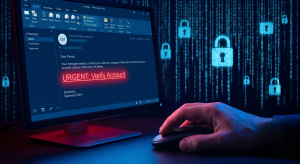
The first ten minutes after clicking a malicious link are crucial. Your goal right now is containment. You need to prevent the malicious site from downloading malware onto your device and stop any existing malware from communicating with the hacker’s remote servers.
1. Sever the Internet Connection Fast
Dropping offline is the single most effective immediate action you can take. If the phishing link initiated a background download (known as a drive-by download), cutting the internet will stop the file transfer in its tracks. Furthermore, if malware has already been installed, it needs an internet connection to send your stolen data back to the attacker or to download further ransomware payloads.
Here is how to disconnect immediately based on your device:
- Desktop computers: Reach around to the back of your machine and physically unplug the Ethernet cable.
- Laptops: Click your Wi-Fi icon and turn it off, or toggle on Airplane Mode if your device supports it.
- Smartphones and Tablets: Swipe down to access your control center and tap the Airplane Mode icon. Do not just turn off Wi-Fi; you must also disable your cellular data connection.
- Nuclear option: If you are panicking and cannot find the settings, walk over to your Wi-Fi router and pull the power cord out of the wall.
2. Close the Page, Do Not Engage
Human curiosity is a vulnerability hackers love to exploit. You might be tempted to click around the fake website to see how convincing it is, or you might try to look for an “unsubscribe” button to get off their mailing list. Do not do this.
Any interaction with the malicious page can trigger malicious scripts. Clicking “unsubscribe” on a phishing email often does the exact opposite: it confirms to the hacker that your email address is active and monitored, guaranteeing you will receive more spam in the future. Simply close the browser tab or the entire web browser immediately. Do not fill out any forms, do not accept any pop-ups, and absolutely do not download any files the site prompts you to view.
3. Call in the Cavalry: Contact cyberspac3
If you clicked this link on a company device, or if you suspect a severe breach involving high-value financial accounts, you do not have to fight this battle alone. Attempting to navigate a complex cyber intrusion without expertise can sometimes result in lost data or further exposure.
This is where you bring in the experts. The incident response specialists at cyberspac3 are trained to handle precisely these scenarios. Engaging cyberspac3 early in the process drastically reduces the blast radius of a cyberattack. They can perform rapid forensics to determine exactly what the phishing link executed, isolate compromised systems, and ensure that hackers do not establish a persistent backdoor into your network.
Phase 2: Lock Down Your Identity and Accounts
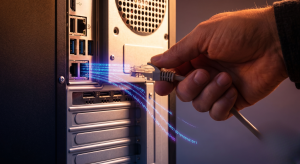
Once your device is completely isolated from the internet, you need to assume that the attackers may have harvested your credentials. If you typed a username and password into the fake site, those details are already in the hands of the hackers.
4. Reset Passwords on a Clean Device
You must change your passwords immediately, but do not use the device you were using when you clicked the link.
If the phishing link installed a keylogger a type of malware that silently records every keystroke you make changing your password on the infected laptop will simply hand the hackers your brand new password. Instead, use a secondary, clean device. Grab a spouse’s phone, a roommate’s laptop, or a secondary tablet that is connected to a safe cellular network (not your home Wi-Fi, just to be safe).
Prioritize resetting the password for the account the phishing link impersonated. If the fake email looked like it was from PayPal, change your PayPal password. Next, secure your primary email account (like Gmail or Outlook), as hackers can use access to your inbox to trigger password resets for all your other accounts. Remember to use strong, unique passwords that combine uppercase letters, lowercase letters, numbers, and symbols.
5. Supercharge Your Logins with MFA
A strong password is no longer enough to protect your digital identity. You need to enable Multi-Factor Authentication (MFA) on every account that offers it.
MFA requires a second form of verification before granting access to an account. Even if a hacker successfully steals your username and password via a phishing site, they will hit a brick wall when the website asks for a temporary six-digit code.
Avoid using SMS text messages for your MFA if possible, as hackers can bypass this using a technique called SIM swapping. Instead, use a dedicated authenticator app like Google Authenticator, Microsoft Authenticator, or Authy. These apps generate secure, time-sensitive codes directly on your physical device without relying on vulnerable cellular networks.
6. Alert Your Financial Institutions
If the phishing link was financially motivated, you need to put your banks on high alert. If you entered credit card details, call the number on the back of your card immediately, report the card as compromised, and request a new one.
If you believe your Social Security Number or banking login was exposed, contact the major credit bureaus (Equifax, Experian, and TransUnion) to place a fraud alert or a total credit freeze on your file. A credit freeze makes it impossible for identity thieves to open new lines of credit or take out loans in your name.
Phase 3: Sanitize Your Device
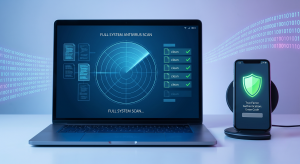
Now that your accounts are secured, you need to deal with the potentially infected device. You cannot safely reconnect it to your home network or use it for daily tasks until you are certain it is clean.
7. Run a Deep Antivirus Scan
If you have reputable antivirus software installed (like Bitdefender, Malwarebytes, or Windows Defender), you need to run a comprehensive scan.
First, reconnect to the internet just long enough to update your antivirus database with the latest threat definitions. Hackers release new malware variants daily, so scanning with outdated software is ineffective. Once the update is complete, disconnect from the internet again.
Initiate a “Full System Scan” or a “Deep Scan.” Do not choose the “Quick Scan” option. Quick scans only look at the most common surface-level folders where malware hides. A deep scan will comb through every single file on your hard drive, looking for rootkits, spyware, and trojans. This process can take several hours, so plug your device into a power source and let it run to completion. Follow the software’s prompts to quarantine and delete any threats it discovers.
8. When to Escalate to cyberspac3
Off-the-shelf antivirus software is great for catching known threats, but it is not foolproof. Advanced hackers use “zero-day” exploits and custom malware that commercial scanners simply cannot detect.
You need to escalate the situation to the professionals at cyberspac3 if you notice any of the following warning signs after your scan:
- Your device is running unusually slow or the fan is constantly spinning at maximum speed.
- You receive persistent, strange pop-up messages on your desktop.
- Your browser keeps redirecting you to unfamiliar websites.
- You find files on your desktop that are suddenly encrypted or locked, which is a massive red flag for a ransomware infection.
cyberspac3 utilizes enterprise-grade endpoint detection and advanced malware forensics that dig much deeper than standard software. They can sanitize your hardware completely, ensuring no hidden backdoors remain.
Phase 4: Reporting and Future-Proofing

Recovery is only half the battle. To protect yourself and others from future attacks, you need to report the incident and learn how to identify the next scam before you click.
9. Report the Attack
By reporting the phishing link, you help cybersecurity authorities take down the malicious domains and prevent other people from falling victim.
- Corporate IT: If you are using a work computer, you must inform your IT department immediately. Do not hide your mistake out of embarrassment. They need to know so they can check the company network for lateral movement by the attacker.
- The Impersonated Brand: Most major companies have dedicated email addresses for reporting fraud. For example, if you receive a fake Amazon email, forward it to stop-spoofing@amazon.com.
- Government Authorities: In the United States, you can report phishing attempts to the Federal Trade Commission at ReportFraud.ftc.gov or the Cybersecurity and Infrastructure Security Agency (CISA).
10. Learn the Red Flags of Phishing
The best antivirus software in the world is a highly skeptical human being. Train yourself to spot these common phishing indicators:
- Artificial Urgency: Scammers want you to panic. Phrases like “Your account will be suspended in 24 hours” or “Immediate action required” are designed to bypass your critical thinking.
- Mismatched URLs: Always hover your mouse over a link without clicking it. A small box will pop up showing the actual destination URL. If the email claims to be from Netflix, but the link points to netflix-billing-update-xyz.com, it is a scam.
- Slight Misspellings: Look closely at the sender’s email address. Hackers buy domains that look almost identical to the real thing, such as support@paypa1.com (using a number 1 instead of an L).
- Unexpected Attachments: Never open an attachment you were not expecting, especially if it is labeled as an invoice, a tracking number, or a legal document.
11. Book a Security Audit with cyberspac3
Reactive security is stressful; proactive prevention is peace of mind. If your business has recently suffered a phishing scare, it is a clear sign that your current defenses might have gaps.
Do not wait for a devastating breach to take cybersecurity seriously. Schedule a comprehensive security assessment with cyberspac3. Their experts will audit your network vulnerabilities, implement robust email filtering solutions, and provide security awareness training for you and your staff, ensuring you spot the threat long before a malicious link is ever clicked.
Frequently Asked Questions (FAQ)
Does clicking a phishing link automatically install malware?
Not always, but the risk is incredibly high. Modern web browsers and operating systems are designed with heavily “sandboxed” environments to prevent automatic downloads. However, if your browser, operating system, or plugins are out of date, hackers can use exploit kits to trigger “drive-by downloads,” installing malware the second the page loads without any further action from you.
I entered my password on the fake site. What now?
You must assume that password is completely compromised. Change it immediately on the affected platform using a different, clean device. Crucially, if you reuse that same password on any other websites (like your email, social media, or banking apps), you must change it on those sites as well. Hackers use automated tools to test stolen passwords across hundreds of popular websites in seconds.
Can a phishing link hack my iPhone or Android?
Yes. While mobile operating systems are highly secure, they are not immune to phishing. Most mobile phishing (sometimes called “smishing” when done via text message) focuses on stealing your credentials via fake login pages rather than installing traditional viruses. However, advanced mobile phishing can trick you into downloading malicious configuration profiles or fake apps that compromise your device’s security.
How much does professional incident response cost?
The cost of professional incident response varies depending on the severity and scale of the breach. However, it is vital to weigh this against the cost of inaction. Attempting to fix a complex network breach yourself can lead to massive data loss, regulatory fines, and irreparable reputational damage. Reaching out to cyberspac3 for an initial consultation is the best way to get an accurate assessment of your situation and a clear path forward.
Conclusion
Realizing you have clicked a phishing link is a terrifying moment, but swift, decisive action is the best remedy. By immediately disconnecting from the internet, securing your accounts from a separate device, and thoroughly scanning for malware, you can effectively stop an attack in its tracks.
Do not leave your digital security to chance or hope for the best. If you have been compromised, or if you want to ensure your business infrastructure is hardened against future attacks, contact the experts at cyberspac3 today for unparalleled protection, expert remediation, and total peace of mind.