
The Ultimate Guide to Identifying Phishing Scams in Web3 and Crypto Transactions
Are you a victim of phishing links in crypto? The decentralized web offers unparalleled financial sovereignty. In the world of Web3, you are your own bank, your own custodian, and your own clearinghouse. However, this absolute freedom is a double-edged sword. In traditional finance (Web2), a compromised credit card or a fraudulent bank transfer can usually be reversed. A panicked phone call to a fraud department can freeze funds, initiate a chargeback, and restore your balance. In the blockchain ecosystem, the rules of physics are different: transactions are strictly one-way and inherently immutable.
Welcome to a new era of cybercrime. Crypto phishing scams hit differently because the margin for error is exactly zero. Phishing is no longer just about poorly spelled emails from a “prince” asking for a wire transfer. Today, it has evolved into a highly sophisticated, multi-million-dollar industry. Attackers utilize malicious Web3 scripts, compromised Discord server bots, typosquatted domains, and invisible smart contract permissions to separate you from your hard-earned digital assets. A single click a blind transaction signature can instantly drain a lifetime of accumulated wealth in Ethereum, Bitcoin, or NFTs.
Safely navigating the decentralized web requires moving far past basic password hygiene. It demands a fundamental shift in how you interact with the internet. You must learn to read the matrix, understand smart contract permissions, and audit transaction requests in real-time. This comprehensive guide, brought to you by Cyberspac3, is your blueprint for identifying crypto scams, neutralizing threats, and keeping your wallet airtight.
How Modern Web3 Phishing Operates: The Anatomy of an Attack

To defeat an enemy, you must first understand their playbook. Traditional phishing relies on tricking you into handing over login credentials. Web3 phishing skips the login entirely; it tricks you into handing over the cryptographic keys to your vault, or worse, signing a contract that authorizes the attacker to empty the vault themselves.
The mechanics of a modern crypto phishing attack generally unfold in three distinct phases:
Step 1: The Bait (Social Engineering & Vector Control) Hackers know that a calm, rational user is difficult to scam. Therefore, the first step is always to bypass your logical brain by triggering extreme emotion typically Urgency, Fear, or Fear of Missing Out (FOMO). You might receive a direct message stating, “Your Ethereum node is out of sync, verify your wallet to prevent slashing,” or “Congratulations, you are eligible to claim a $5,000 ARB airdrop, but the window closes in 10 minutes.” Another devastatingly effective tactic is the faux-security alert: “Unrecognized login detected on your MetaMask. Click here to revoke access immediately.” These psychological triggers force you to act quickly, drastically reducing the likelihood that you will double-check URLs or transaction details.
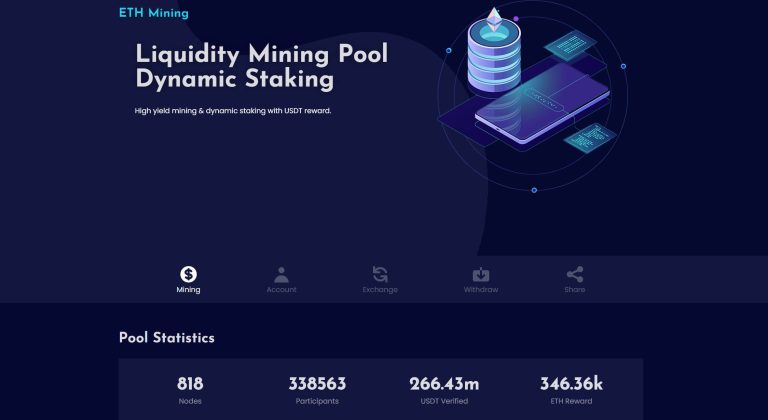
Step 2: The Fake Interface (Spoofing & Lookalikes) Once you click the bait link, you are directed to a spoofed website. Scammers deploy pixel-perfect replicas of popular decentralized applications (dApps) like Uniswap, OpenSea, Blur, or the MetaMask Portfolio dashboard. To deceive your eyes, they use “typosquatting” registering domain names that look nearly identical to the legitimate site. For example, instead of opensea.io, the URL might read opensea-app.io, 0pensea.io, or opensea.xyz. In the heat of the moment, these minor discrepancies are easily overlooked. The site will feature a familiar “Connect Wallet” button, functioning exactly as a legitimate Web3 site would.
Step 3: The Trap (The Malicious Signature Request) This is the exact moment the exploit happens. Connecting your wallet to a website is generally safe—it only allows the site to see your public address and token balances. The danger occurs when the fake interface prompts you to sign a transaction. The site will present a prompt through your wallet extension. To the untrained eye, it looks like a standard login signature or a minor gas fee for claiming an airdrop. In reality, it is a malicious payload. By clicking “Confirm” or “Sign,” you cryptographically authorize a malicious smart contract to transfer your tokens to the hacker’s wallet.
The Five Faces of Crypto Phishing Scams
Understanding the theoretical mechanics is important, but recognizing the specific tactics in the wild is what will save your portfolio. Here are the five most prevalent crypto phishing variants operating today.
1. Ice Phishing (Malicious Smart Contract Approvals)
Traditional phishing steals your passwords; “Ice Phishing” tricks you into delegating your token-spending permissions to a hacker. In the Ethereum ecosystem (and EVM-compatible chains), decentralized exchanges and protocols need your permission to move your tokens. This is done via the approve function for ERC-20 tokens. Ice phishing occurs when a scam site tricks you into signing an approval transaction that grants the scammer’s address an “infinite allowance” to spend your USDT, USDC, or WETH. For NFT collectors, this attack takes the form of the dreaded setApprovalForAll function. This is a legitimate smart contract standard (ERC-721/ERC-1155) meant to allow marketplaces like OpenSea to move your NFTs when they sell. Scammers disguise this request as a “Verify Wallet” or “Claim Mint” button. If you sign a setApprovalForAll transaction on a malicious site, the hacker instantly gains the ability to transfer every single NFT in that specific collection out of your wallet, paying the gas fees themselves to do it instantly.
- Key Indicator: A dApp asking for permission to spend tokens or access assets when you are only attempting to connect your wallet, view a dashboard, or sign a gasless message.
2. Address Poisoning (The Copy-Paste Trap)
Address poisoning relies entirely on human laziness and the complexity of cryptographic hashes. Crypto addresses are long strings of alphanumeric characters (e.g., 0x71C…89A). Because they are impossible to memorize, users routinely copy and paste them from their transaction history. A scammer will monitor the blockchain to see who you frequently send funds to. They will then use specialized software to generate Vanity Addresses custom wallet addresses that share the exact same first four and last four characters as the address you normally interact with. The scammer then sends a “poisoned” transaction of $0.00 or a microscopic fraction of a token from their vanity address to your wallet. This places their malicious address right at the top of your wallet’s transaction history. The next time you go to send funds to your friend or your cold storage, you might quickly copy the most recent address from your history, check the first and last few characters, and send your funds directly to the scammer.
- Key Indicator: Unfamiliar vanity addresses appearing in your recent transaction list. Always copy addresses from trusted sources (like an official exchange whitelist or an ENS domain) rather than your recent history.
3. Fake Hardware Wallet Support & Seed Phrase Requests
Hardware wallets like Ledger and Trezor are the gold standard for crypto security because they keep your private keys offline. However, they cannot protect you if you willingly hand over your master key. Scammers frequently run Google Search ads or send emails claiming that your hardware device requires a critical software update, or that a data breach has occurred and you must “validate your mnemonic phrase.” They direct you to a sleek, professional-looking website with a text box demanding your 12- or 24-word seed phrase.
- Key Indicator: Any input field, customer support agent, website, or popup demanding your seed phrase. No legitimate dApp, wallet provider, or hardware manufacturer will ever ask for your seed phrase. Your seed phrase is meant to be written on a piece of paper and locked in a physical safe, never typed into a computer keyboard.
4. Malicious Browser Extensions & Mobile Apps
Web3 relies heavily on browser extensions and mobile apps to bridge the gap between your device and the blockchain. Hackers take advantage of this by uploading fake wallet extensions to the Google Chrome Web Store or mobile app marketplaces, artificially boosting their legitimacy with purchased five-star reviews. When you download one of these malicious applications, its primary goal is usually to intercept your keystrokes or trick you into importing your existing wallet.
- Key Indicator: If a newly downloaded wallet app violently insists that you “import your existing wallet via seed phrase” immediately, rather than gently offering the option to generate a new wallet securely, proceed with extreme caution. Always follow links to extensions directly from the official developer’s verified website.
5. Discord and Telegram Bot Hijacks
For Web3 communities, Discord and Telegram are the town squares. Unfortunately, they are also prime hunting grounds. Hackers frequently execute social engineering attacks to compromise a project moderator’s account. Alternatively, they might exploit a vulnerability to hijack a widely used bot (like Collab.Land or MEE6). Once in control, the hacker locks down the chat channels so users cannot issue warnings, and posts an “Official Announcement” complete with @everyone tags. The announcement usually promises a “surprise stealth mint,” a “compensation claim,” or an “exclusive community airdrop,” accompanied by a malicious link.
- Key Indicator: Direct Messages (DMs) from strangers offering crypto support, sudden announcements with disabled comments, or links that lead outside the official, established domain list of a project.
Reading Between the Lines: How to Audit Your Wallet Screen Before Approving
Identifying crypto phishing scams ultimately comes down to the final moment before you execute a transaction. You must learn to read and decode the prompts generated by your wallet extension (such as MetaMask, Phantom, or Rabby).
1. Look at the URL Origin Match Before looking at the transaction data, look at the very top of your wallet’s popup window. The wallet will display the origin domain that is requesting the signature. Does this URL perfectly match where you intended to go? If you think you are on app.uniswap.org but the wallet origin says app-uniswap-router.com, reject the transaction immediately.
2. Differentiating Signs vs. Approvals vs. Transfers Not all wallet prompts are created equal. You must understand what you are being asked to do:
- Message Signing vs. Transactions: A simple message signature (often used to log into a dApp) shouldn’t cost any gas. If you are asked to “sign in” but see a network gas fee attached, it is not a login—it is a smart contract execution, likely malicious.
- The Danger of eth_sign: Historically, wallets allowed dApps to request blind signatures via eth_sign, which presented the user with a completely unreadable string of hexadecimal characters (e.g., 0x4b7c…). Blind signing is incredibly dangerous because you have no idea what you are authorizing; it could be a simple login, or it could be a transaction sending all your ETH to a hacker. Always reject unreadable hex strings.
- EIP-712 Standard: Fortunately, the Ethereum community introduced EIP-712, a standard for typed, structured data signing. This forces the signature prompt to be human-readable, showing exactly what protocol you are interacting with and what actions are taking place. If a modern dApp does not use EIP-712 readable signatures, consider it a massive red flag.
- Beware of Permit2 Exploits: The Permit2 standard, pioneered by Uniswap, allows users to approve token spending and execute a swap in a single signature, saving gas. While highly efficient, it relies on off-chain signatures. Scammers have begun weaponizing Permit2 by tricking users into signing Permit2 messages on fake sites. Because these signatures are gasless and happen off-chain, users often drop their guard, unwittingly handing over sweeping permissions to drain their tokens. Always verify the spender address in a Permit2 signature.
3. Relying on Transaction Simulators You do not have to fight this battle blind. The Web3 security community has developed powerful tools to help you visualize transaction outcomes. Browser extensions like Fire, Pocket Universe, and Blowfish act as a firewall between your browser and your wallet. When a dApp requests a signature, these simulators intercept the request, run it through a virtual machine copy of the blockchain, and show you exactly what will happen in plain English. Instead of deciphering code, a simulator will pop up and clearly state: “If you sign this, you will LOSE 2.5 ETH and GAIN 0 tokens.” Using a transaction simulator is arguably the single most effective way to prevent falling victim to phishing transaction signatures.
Mitigating Risk: Building an Impenetrable Web3 Security Workflow
Security in the cyberspace is not a passive setting; it is an active, daily habit. To ensure you never fall victim to crypto phishing scams, you must implement a robust Operational Security (OpSec) workflow.
Use Hardware Wallets for Cold Storage Keep your primary assets—your life savings, your high-value NFTs, your long-term holds—on a cold storage hardware wallet (like Ledger, Trezor, or GridPlus). Hardware wallets keep your private keys isolated from your internet-connected computer. Most importantly, they require you to physically press a button on the device to approve a transaction. Even if a hacker compromises your computer screen, they cannot digitally reach through the internet and press the physical button on your desk.
The “Burner Wallet” Principle Never connect your main vault to a random dApp, a new NFT mint, or an airdrop claim site. Instead, practice compartmentalization. Create a “Burner Wallet” (a hot wallet generated via MetaMask or Rabby) that holds zero assets. Fund it with only the exact amount of gas and crypto needed for the specific transaction you want to perform. If you accidentally interact with web3 malicious smart contracts, the maximum damage is contained to the negligible funds in the burner wallet.
Bookmark Your dApps Never use Google search to navigate to DeFi protocols. Scammers routinely buy Google Ads for keywords like “Uniswap” or “Lido Staking” and place their typosquatted phishing links above the legitimate organic results. Once you have verified the official URL of a dApp (cross-referencing via their official Twitter bio, CoinGecko, and CoinMarketCap), bookmark it. Only access your financial tools via your secure bookmarks.
Regularly Revoke Allowances Token approvals do not expire on their own. If you granted a protocol permission to spend your USDC two years ago, that permission is still active today. If that protocol’s smart contract is ever hacked, your funds could be drained retroactively. Make it a bi-weekly habit to use tools like Revoke.cash or Etherscan’s Token Approval Checker. Audit your wallet and revoke any allowances granted to contracts you are no longer actively using.
Stay Vigilant in the Cyberspace
The decentralized frontier of Web3 is rapidly evolving, offering incredible opportunities alongside formidable threats. As the ecosystem matures, so do the adversaries. Identifying phishing scams in crypto transactions is no longer a niche skill for developers; it is mandatory knowledge for anyone holding digital assets.
Remember that in crypto, you are your own bank, your own security guard, and your own fraud department. Scammers rely on panic, urgency, and technical obfuscation to break your defenses. By slowing down, refusing to blind-sign unreadable hex codes, compartmentalizing your assets, and utilizing transaction simulators, you can confidently navigate the blockchain without fear.
Stay vigilant, trust nothing without verification, and protect your digital sovereignty.
Cyberspac3 Call to Action: Don’t let your friends navigate the dark forest of Web3 unprotected. Share this comprehensive guide with anyone entering the crypto space, and take five minutes right now to connect your wallet to Revoke.cash and clean out your old smart contract allowances.