What to Do If I Clicked on a Phishing Link
By Steven Burton – Trusted Private Investigator
Clicked on a phishing link? Don’t panic. Learn exactly what happens, how to secure your accounts, and the immediate steps to protect your crypto and data. Every day, thousands of people unknowingly click on phishing links disguised as legitimate emails, SMS text messages, social media posts, or cryptocurrency investment opportunities. Often, victims don’t realize they’ve been targeted until they spot unauthorized account activity, missing crypto funds, or suspicious login alerts.
The good news? Clicking a phishing link does not automatically mean your device or accounts are compromised.
What happens next depends entirely on your actions after clicking the link. Did you simply open the webpage? Did you enter login credentials? Did you download a file or connect your Web3 crypto wallet? Understanding these differences is critical because each scenario requires a specific incident response.
In this guide, you will learn exactly what to do immediately after clicking a phishing link, how to determine if your data is compromised, and how to protect yourself from future cyberattacks.
What Is a Phishing Link?
A phishing link is a malicious URL designed to trick you into believing you are visiting a legitimate website. Instead of routing you to your actual bank, email provider, or cryptocurrency exchange, the link directs you to a fraudulent, attacker-controlled website.
Cybercriminals use these fake sites to steal sensitive data, including:
-
Email usernames and passwords
-
Online banking credentials
-
Cryptocurrency wallet seed phrases and private keys
-
Two-factor authentication (2FA) codes
-
Credit card information
-
Personal Identity Information (PII)
Modern phishing attacks are remarkably sophisticated. Attackers clone the exact appearance, branding, and login portals of trusted companies. Some phishing links even execute drive-by downloads (installing malware silently) or prompt you to connect your crypto wallet to a malicious smart contract.
What Happens When You Click a Phishing Link?
A common cybersecurity misconception is that simply clicking a link instantly hacks your device. The actual risk level depends on your interaction with the malicious site.
Scenario 1: You Only Opened the Website
Risk Level: Low If you opened the page but did not enter information, download files, approve wallet permissions, or install software, your risk is relatively low. However, you should close the page immediately and run an antivirus scan, as advanced sites may attempt browser-based exploits.
Scenario 2: You Entered Your Username and Password
Risk Level: High If you typed credentials into a fake login portal, scammers likely possess them. Many phishing kits transmit stolen data to attackers in real time. Immediate actions:
-
Change your password on the affected platform immediately.
-
Update passwords on any other accounts sharing the same credentials.
-
Enable Multi-Factor Authentication (MFA).
-
Review recent login activity and sign out of all active sessions.
Scenario 3: You Downloaded a File
Risk Level: Severe If the phishing page convinced you to download a software update, PDF, browser extension, or mobile app, your device may be infected with malware. Possible threats include remote access trojans (RATs), keyloggers, clipboard hijackers, or crypto-stealing malware. Immediate action: Disconnect your device from the internet immediately to prevent the malware from communicating with the attacker’s server, then run a full system scan.
Scenario 4: You Connected Your Crypto Wallet
Risk Level: Severe Crypto phishing is rampant. Fake NFT mints, DeFi platforms, staking pools, and airdrops often ask users to connect Web3 wallets like MetaMask, Phantom, Coinbase Wallet, or Trust Wallet.
Connecting alone isn’t always enough to drain funds. The critical danger occurs when you approve a malicious transaction or sign deceptive smart contract permissions. Once approved, attackers can siphon your tokens automatically.
The First 5 Minutes: Immediate Steps to Take
Time is your most valuable asset after interacting with a phishing scam. Follow these incident response steps immediately:
-
Disconnect from the Website: Close the browser tab. Do not click additional buttons, and do not attempt to “test” the login again.
-
Disconnect from the Internet (If you downloaded a file): Turn off Wi-Fi, disable mobile data, or unplug your Ethernet cable. This stops data exfiltration and prevents remote access.
-
Do Not Panic (And avoid recovery scams): Rushing into online searches often leads victims straight to fake “recovery hackers” who demand upfront fees but provide no help. Focus strictly on securing your accounts.
How to Check if Your Device is Compromised
Not every phishing attack leaves a clear trail. Watch your device and accounts closely for these red flags:
-
Unexpected password reset emails or 2FA prompts
-
New, unrecognized login notifications
-
Unexplained browser redirects or new browser extensions
-
Significant drops in device performance or battery life
-
Unauthorized cryptocurrency transactions or missing tokens
-
Disabled or crashing antivirus software
Scan Your Device Immediately Run a comprehensive security scan using reputable antivirus software. Do not rely on a “quick scan.” Perform a deep system scan checking your download folders, temporary files, startup programs, and registry changes. For smartphones, review your app list for unrecognized installations, check accessibility permissions, and ensure your OS is fully updated.
Secure Your Online Accounts
Even if you are unsure if your credentials were captured, proactively changing your passwords is the safest route. Prioritize high-value targets:
-
Primary email accounts (this is the key to resetting other passwords)
-
Cryptocurrency exchanges and online banking
-
Password managers and cloud storage
-
Social media and e-commerce platforms
Always create strong, unique passwords for every account. Attackers routinely use credential stuffing—testing one stolen password across dozens of popular sites.
Enable Multi-Factor Authentication (MFA) MFA blocks attackers even if they have your password. Opt for Authenticator apps (like Google Authenticator or Authy), passkeys, or hardware security keys (like YubiKey). Avoid SMS-based 2FA when possible, as it leaves you vulnerable to SIM-swapping attacks.
Crypto Users: Immediate Wallet Precautions
If you interacted with a Web3 phishing site, speed dictates whether you keep your funds or lose your portfolio.
-
Disconnect the wallet: Sever the connection to the malicious dApp immediately.
-
Revoke permissions: Use tools like Revoke.cash or Etherscan’s Token Approval tool to revoke any active, unlimited smart contract allowances.
-
Move remaining assets: If you suspect a compromise, transfer your remaining crypto and NFTs to a brand-new, secure wallet immediately.
-
Burn compromised seed phrases: If you typed your 12 or 24-word recovery phrase (or private key) into the phishing site, that wallet is permanently compromised. Abandon it completely.
How to Report a Phishing Attempt
Reporting a phishing attack helps protect other potential victims and assists legitimate companies in taking fraudulent websites offline faster. Depending on the nature of the scam, you should report the incident to:
-
The impersonated company (e.g., your bank or crypto exchange)
-
Your email provider (using the “Report Phishing” button)
-
Your web browser (Google Safe Browsing or Microsoft Defender SmartScreen)
-
Your bank or financial institution
-
The FTC or IC3 (if you are in the United States)
Crucial Step for Crypto Users: If cryptocurrency was stolen, preserve every piece of evidence before making reports. Good documentation creates a timeline that is vital for any future investigation. Save the following:
-
Wallet addresses (yours and the attacker’s)
-
Transaction hashes (TXIDs)
-
Screenshots of the phishing site and your wallet activity
-
Email headers or SMS messages
-
The exact fraudulent URLs
-
Chat conversations with scammers
-
Wallet connection requests
-
Malicious smart contract addresses
What If I Entered My Crypto Wallet Recovery Phrase?
This is a worst-case scenario, but you must act swiftly. A wallet’s recovery phrase (also called a seed phrase) grants absolute control over every digital asset stored in that wallet.
If you typed your 12- or 24-word recovery phrase into a phishing website, assume the wallet is compromised immediately. Do not continue using it. Instead, take these steps right now:
-
Create a brand-new wallet using trusted, official wallet software.
-
Generate a completely new recovery phrase (never reuse the old one).
-
Transfer any remaining assets to the new wallet as quickly as possible.
-
Double-check every destination address before sending funds to avoid clipboard-hijacking malware.
Unfortunately, once cybercriminals possess your recovery phrase, they can access and drain the wallet from anywhere in the world.
Beware of Secondary Recovery Scams
Phishing victims are highly likely to be targeted again days or weeks later. Attackers know you are vulnerable, and they often pivot to a secondary con: The Recovery Scam.
Scammers will reach out pretending to be:
-
Blockchain investigators
-
Crypto recovery specialists or “white-hat hackers”
-
Technical support agents
-
Exchange security teams
-
Lawyers or government officials
They often claim they have tracked down your missing cryptocurrency and can retrieve it. However, to execute the “recovery,” they will request an upfront payment, remote access to your device, your identity documents, your recovery phrase, or fake “gas fees” and “tax clearance fees.”
These are almost always additional scams. No legitimate professional will ever ask for your wallet recovery phrase or private keys. Be incredibly skeptical of anyone who guarantees they can recover stolen cryptocurrency no one can honestly make that promise.
How Phishing Scammers Target Crypto Users
Crypto users are highly lucrative targets because blockchain transactions are permanent and irreversible. Here are the most common phishing methods used today:
Fake Exchange Login Pages
Attackers clone the appearance of major exchanges (like Binance or Coinbase) and send urgent emails claiming your account is suspended, withdrawals are frozen, or suspicious activity was detected. Victims panic and unknowingly enter their login credentials into the fake portal.
Malicious Wallet Updates
You might receive a direct message or email stating a “critical security update” is required to verify your wallet. The provided link leads to a counterfeit page designed solely to steal your recovery phrase.
Fake Crypto Airdrops
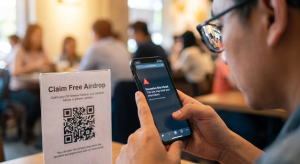
Free token giveaways are a massive phishing trap. Victims are lured into connecting their Web3 wallets to “claim” tokens. Instead of receiving an airdrop, they unknowingly sign a malicious smart contract that authorizes attackers to drain their assets.
Fraudulent Investment Groups
Scammers heavily utilize Telegram, Discord, WhatsApp, and X (formerly Twitter) to promote fake investment opportunities or exclusive NFT mints, which ultimately redirect users to wallet-draining phishing websites.
QR Code Phishing (Quishing)
Instead of sending a visible URL, criminals send a QR code. Scanning it instantly opens a malicious website on your mobile device. Because users never see the suspicious web address before the page loads, their guard is completely lowered.
How to Spot a Phishing Link Before You Click
Learning to identify a phishing attempt is your best defense against future attacks. Always look for these glaring red flags:
-
Misspelled domain names (e.g., coinbese.com instead of coinbase.com)
-
Extra letters or numbers (e.g., support-binance.com)
-
Shortened URLs (like bit.ly) designed to hide the true destination
-
Urgent or threatening language demanding immediate action
-
Unexpected attachments in unsolicited emails
-
Requests for private keys or recovery phrases
Always inspect the web address carefully before entering sensitive information. Even a tiny difference such as replacing an “m” with an “rn” or using “.co” instead of “.com” indicates a fraudulent site.
Build Bulletproof Online Security Habits
Surviving a phishing attempt is a harsh wake-up call, but it should lead to stronger online hygiene. Reduce your future risk with these essential habits:
-
Use a Password Manager: Password managers generate and store unique, complex passwords for every account. If one site is breached, your other accounts remain safe.
-
Keep Software Updated: Regularly update your OS, browsers, wallet applications, and antivirus software to patch security vulnerabilities attackers actively exploit.
-
Bookmark Important Websites: Rather than clicking links in emails, access your crypto exchange or bank by using your own bookmarks or manually typing the URL.
-
Verify Before You Trust: If you receive an urgent alert from your bank or investment platform, do not click the link. Visit the official website independently to check if the alert is real.
-
Recognize Manipulation: Scammers rely on emotion. If a message claims you must “act immediately” or lose your account, slow down. Urgency is the hallmark of a scam.
What to Do If Your Cryptocurrency Was Already Stolen
If your digital assets have already been transferred out of your wallet, you need to act quickly but keep your expectations realistic:
-
Record every transaction hash and identify the destination wallet addresses.
-
Take screenshots of all unauthorized wallet activity.
-
Preserve all communications, emails, and messages from the attackers.
-
Contact any centralized exchanges involved if the funds appear to have been deposited into an exchange wallet.
-
Monitor the movement of the funds using public blockchain explorers (like Etherscan).
Do not send additional money to anyone claiming they can “unlock” or reverse the transaction. Recovery possibilities depend heavily on how the theft occurred and whether KYC-compliant services were involved in cashing out the funds.
Frequently Asked Questions (FAQs)
Can clicking a phishing link infect my phone?
Sometimes, but not always. Many phishing attacks simply try to trick you into typing your password into a fake login page. However, advanced attacks might prompt you to install malicious profiles or rogue apps. Keeping your phone’s OS updated and strictly avoiding downloads from unknown sources will significantly reduce this risk.
Should I change all my passwords?
If you entered your password on a phishing website, absolutely. Start with your primary email account, financial logins, and any service where you reused that compromised password.
Is my crypto wallet safe if I only viewed the website?
Usually, yes. Simply viewing a webpage is much less risky than approving a transaction or typing in your recovery phrase. However, if you connected your wallet to the site, you should immediately review your wallet activity and use tools to revoke any unnecessary smart contract permissions.
Can I recover my money after a crypto phishing scam?
It depends entirely on the circumstances. Cases have a higher chance of success when evidence is preserved promptly and the funds are traced to a centralized exchange that complies with law enforcement. However, no one can honestly guarantee the return of stolen cryptocurrency.
How can I avoid phishing attacks in the future?
Verify URLs before clicking, use strong and unique passwords, enable hardware-based multi-factor authentication (MFA), and never share your seed phrase. Cultivate a deep skepticism for urgent, unsolicited messages.
Final Thoughts: Moving Forward Safely
Clicking a phishing link is an alarming experience, but it does not have to end in disaster. The determining factor is how quickly and thoughtfully you respond in those first crucial minutes.
For victims of crypto scams, securing your accounts, revoking wallet permissions, and preserving blockchain evidence can limit the damage and aid investigations. Above all, resist the urge to panic many victims lose even more money by trusting fake recovery agents making unrealistic promises.
Treat this event as a turning point to harden your digital security. Verify unexpected messages, utilize password managers, and remember the golden rule of crypto: No legitimate organization will ever ask for your wallet recovery phrase.